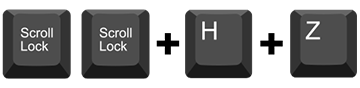
A keyboard hotkey sequence consists of at least three specific keystrokes: Hotkey sequence = [ScrLk] + [ScrLk] + Command key(s)
Consult the user manual chapter operation for user-definable hotkey option
Command
Select PC Port Control
Hotkey
Scr-Lock
Scr-Lock + “X” X = 1–2 (1-4) PC port number
Description
Select the active PC port. Jointly select PC port/ hub port control/ audio and mic, if binding is enabled (see #4)
Select PC that controls all USB Hub ports
Scr-Lock +“Fx”F = F1–F2/F1–F4 x = 1–2/1–4 for Hub port number
Jointly select PC and hub port control, if PC/hub port control binding is enabled (see #4)
Select Active Audio and Mic Port
Scr-Lock +”Fy” F =F5–F6/F5–F8 y = 5–6/5–8 for Audio and Mic number
Jointly select PC and audio and mic port, if binding is enabled (see #6)
Bind PC and Hub Port Control Switching
Scr-Lock + “Z”
Once this feature is enabled, any pc and/or hub port control switching is bound together
Unbind PC and Hub Port Control Switching
Scr-Lock + “X”
Disable the binding of PC port and hub port control switching
Bind PC and Audio and Mic Switching
Scr-Lock + “Q”
Once this feature is enabled, any PC and/or audio and mic switching is bound together
Unbind PC and Audio and Mic Switching
Scr-Lock + “W”
Disable the binding of PC port and audio and mic
Select Previous PC and Hub Port Control
Scr-Lock + “Arrow Up"
Jointly select previous PC/ hub port control, if binding is enabled (see #4)
Next PC Port/Hub Port Control
Scr-Lock + “Arrow Down"
Jointly select next PC/ hub port control, if binding is enabled (see #4)
Previous PC port
Scr-Lock + ” Backspace"
Toggle between the previous port and current port
Beep Sound On/Off
Scr-Lock + “B”
Toggle on/off the beep sound
Autoscan
Scr-Lock + “S”
Autoscan through every connected port for quick screen browsing of each port (scan delay = 5 sec)
Stop Auto Scan
Press any key on keyboard
Terminate Autoscan activity
Define Hotkey Preceding
Scr-Lock + “H” + “y” y=Scroll Lock, Caps Lock, ESC, F12, Num Lock
Select the hotkey preceding sequence among 5 alternative keys
Autoscan with Programmable Delay
Scr-Lock + “H” + “z”z = 1>10’, 2>20’,3>30’, 4>40’, 5>50’,6>60’, 7>70’, 8>80’, 9>90’, 0>100’
Autoscan with a user-defined delay time within a range of 10 to 100 seconds
Enable monitor capabilities
Scr-Lock, Scr-Lock + P
Troubleshoot monitor display, toggle per port to enable/disable link training (EDID) when switching to that port